An HTML demo you can share
Try a complete share with a small interactive page: download the HTML, select it in MyShare and send the temporary link. No deployment or local server required. Keep the computer and browser online while sharing.
Sample v1 · 2026-09-17 · Created by MyShare
One file, ready to open
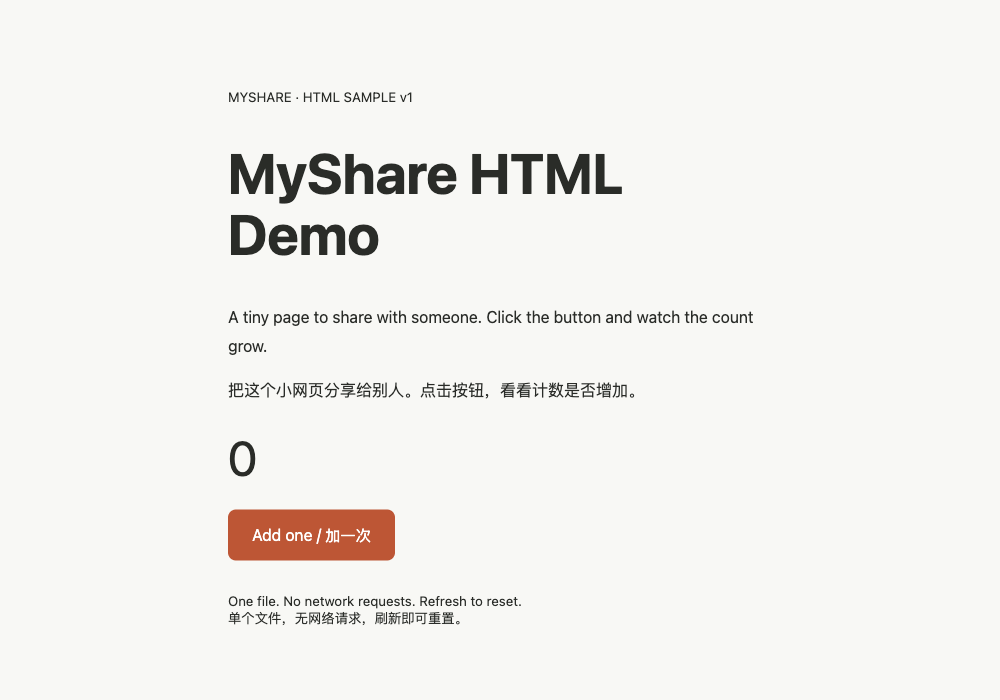
html-demo.html contains the page, styles and click counter. It has no external resources, network requests, telemetry, sign-in or backend. Open it offline, click the button to increase the count, and refresh to reset.
Create a link in four steps
- Download and open the file. Check for the MyShare HTML Demo heading and counter button.
- Return to the share form, select HTML files → Choose HTML, and select the downloaded file.
- Complete verification and the first-use agreement, then create the link. The extension is optional; browser mode needs this owner tab to stay open.
- Open the visitor link in another tab. A link carrying the temporary passcode enters automatically; otherwise enter that share’s passcode. Click the demo button and check that the count increases.
Expected result and stopping
Each visitor page has its own counter. Counts are not synchronized or stored on a server. Choose Stop share in MyShare; a new request to the old link should show that sharing has ended. Content already loaded in a visitor tab is not remotely erased.
Free sharing needs no account; see pricing for duration and transfer limits. Selected file copies stay on your computer. Quitting the browser or closing a browser-mode owner tab interrupts sharing. Select the file again and create a new share after editing.